

The most popular cloud advice still starts with a logo or a cheap virtual machine. That is the wrong first cut for a church, a nonprofit, or a five-to-fifty-person company. A useful cloud services comparison ranks the choice by fully loaded cost over three years and by who can patch, watch, and restore the thing. Market share does not pay the bill. An hourly sticker does not either.
Start With the Service Model Not the Logo
Stay at the highest service model that still meets the workload. Dropping straight to raw servers because they look flexible usually moves the bill from software into staff time.
The National Institute of Standards and Technology cloud definition is the filter. Cloud means on-demand self-service, broad network access, resource pooling, rapid elasticity, and measured service. A rented box with a control panel can fail that test. It is hosting. It is not the same product as a platform you can grow, shrink, and meter without buying hardware.
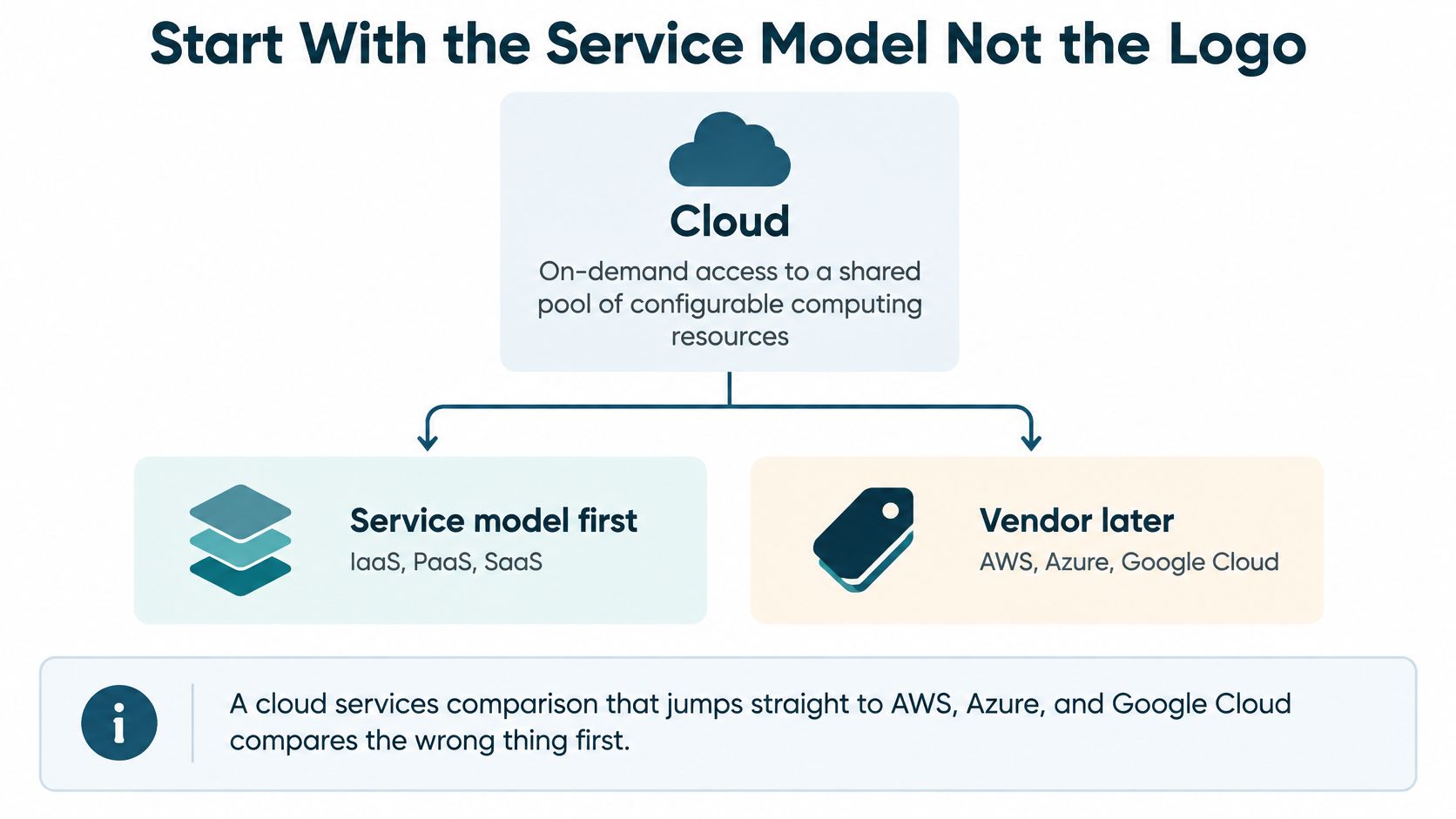
Three models, three jobs
Software as a Service (SaaS) is the provider's application. You do not manage the servers, the operating system, or the storage underneath. Email, shared files, donations, CRM, and scheduling belong here.
Platform as a Service (PaaS) is where you deploy the app and the provider runs the platform under it. A custom site or API fits when you want releases without owning the OS.
Infrastructure as a Service (IaaS) is compute, storage, and networking you provision, while you keep the OS and the apps. Control is real. So is patching, monitoring, and restore work. NIST also names four deployment shapes, private, community, public, and hybrid, which matters later when one system should not sit in the same place as the public site.
| Model | Customer manages | Admin load | Usual fit |
|---|---|---|---|
| SaaS | The provider's application only | Low | Email, files, CRM, donations, scheduling |
| PaaS | The application and its data | Medium | Custom websites, APIs, and integrations without owning the OS |
| IaaS | OS, apps, data, and much of the network design | High | Unusual stacks, strict control, or a team that already runs servers |
Gartner forecast worldwide public-cloud end-user spending at $723.4 billion in 2025, up from $595.7 billion in 2024. SaaS stays the largest slice at $299.1 billion, IaaS is $211.9 billion, and PaaS is $208.6 billion. Implied growth is about 19.2% for SaaS, 21.6% for PaaS, and 24.8% for IaaS. Infrastructure is growing fastest, which does not mean a small staff should start there.
For a lot of small organizations the first cloud product is still Google Workspace or Microsoft 365. Bruce & Eddy deploys both, and we handle DNS so mail and the website do not fight over the same records. Buy IaaS when the workload needs an OS you control, not because a console feels more serious.
Where AWS Azure and Google Cloud Stand
In the third quarter of 2025, Computing's report on cloud-infrastructure spending put Amazon Web Services at about 29% of worldwide cloud-infrastructure service spending, Microsoft Azure at 20%, and Google Cloud at 13%. Together they were 63% of the market, up from 62% a year earlier and 61% two years earlier. Quarterly revenue for IaaS, PaaS, and hosted private cloud was about $106.9 billion, with trailing twelve-month revenue around $390 billion.
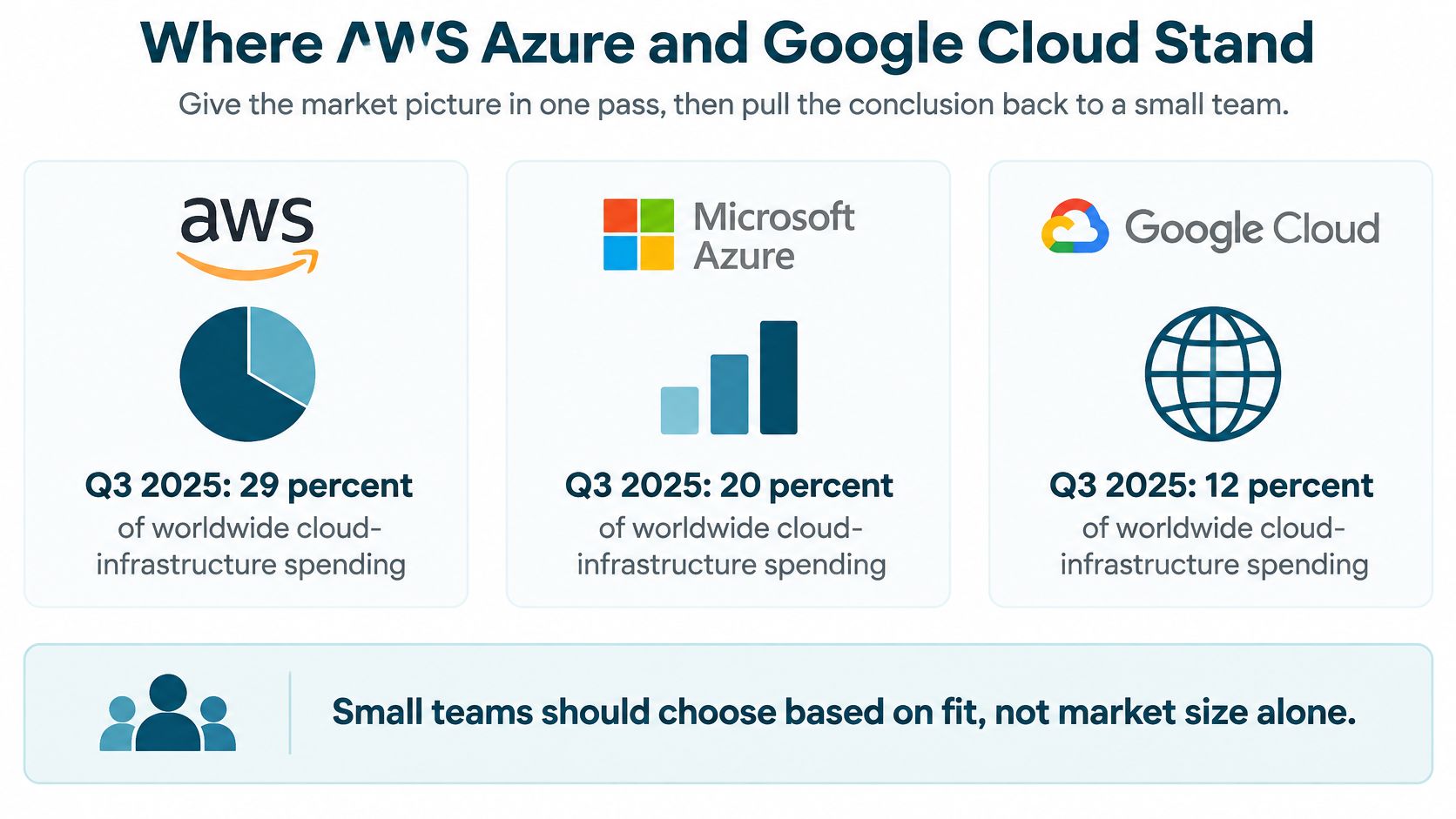
| Provider | Q3 2025 share | What the share signals | What it does not decide |
|---|---|---|---|
| Amazon Web Services | About 29% | Broadest catalog and the longest enterprise track record | Whether a small team can run it |
| Microsoft Azure | 20% | Strong fit where Microsoft 365 and Entra ID are already in use | A lower bill than AWS or Google |
| Google Cloud | 13% | Serious scale in data, networking, and developer platforms | A simpler console for a nontechnical staff |
| Other providers | 37% | Room for specialists and regional hosts | An automatic saving or a safer compliance story |
AWS is still the leader, though its share eased from a bit above 32% in 2021 to an average just under 30% in the four quarters before that Q3 reading. A separate Synergy figure reported by CRN put worldwide cloud-infrastructure revenue at $119 billion in the fourth quarter of 2025, $29 billion above the fourth quarter of 2024. The market is still growing while the lead narrows.
Scale is not a buying instruction
Enterprise usage is a different chart. In Flexera's 2025 survey of 759 IT professionals and executives, 81% reported using Azure and 79% reported using AWS. That overlap is normal at large companies. It is a poor script for a church website, a donor app, or a five-person shop.
Scale means a mature global footprint, a deep catalog, and a better chance that a hire has seen the console. It does not mean the platform is cheaper, simpler, or safer for your workload. The other 37% of spending sits with specialists and regional providers. They are a real option for a narrow job, not a fourth logo to tour. I would not treat Alibaba or Oracle as a default for a US small organization unless a specific price, region, or contract forces that look.
If a move off a closet full of old servers is part of the plan, budget the physical exit too. Office equipment removal with Beyond Surplus is the unglamorous half of leaving on-premises gear behind, and it belongs in the project plan next to the cloud bill.
How the Big Three Differ on Real Work
Compare these three on the work you will do, not as product encyclopedias. AWS has the widest catalog and the most third-party examples, which helps odd integrations and hurts anyone who clicks around until the invoice arrives. Azure is the natural neighbor when the organization already lives in Microsoft 365, Entra ID, and Office files, because identity and licensing line up. Google Cloud is the cleaner fit when the team already uses Google Workspace and cares about data tooling or network design. Nontechnical staff will not find that console self-explanatory.
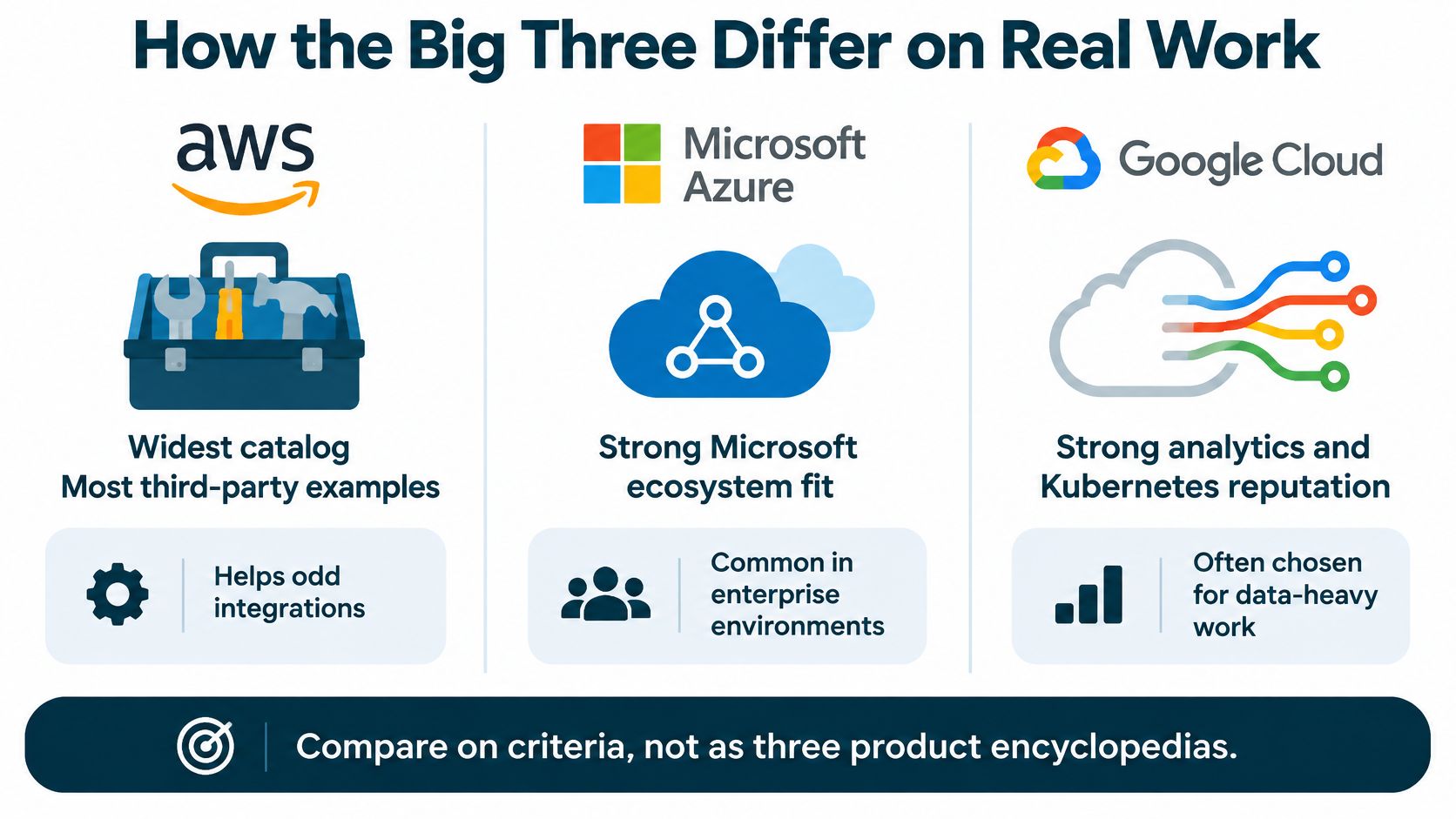
Four criteria that change the bill
Managed path. For a normal website or database, skip raw VMs. The managed equivalents are Amazon RDS, Azure SQL, and Cloud SQL for data, S3, Blob Storage, and Cloud Storage for files, and CloudFront, Azure CDN, and Cloud CDN for delivery. You still own schema, access, and backups policy. You stop owning kernel patches on a lone Linux box.
Security responsibility. On IaaS the provider secures the cloud. You still own accounts, OS patches, data, and who can open the console. A shared-responsibility miss hurts a nonprofit the same way it hurts a bank, just with fewer people to notice a wide-open key.
Scaling. Autoscaling and multi-zone designs exist on all three. They cost money and configuration. A traffic spike that saves the homepage can also save a surprise invoice if nobody set a ceiling.
Cost-performance. An independent 2024 study of 4 vCPU and 16 GiB general-purpose instances showed a wide spread versus Oracle Cloud Infrastructure. For Intel-based instances, AWS was 81.88% higher on price per performance point, Azure 70.31% higher, and GCP 155% higher. Another comparison in the same study put GCP 60.63% higher than OCI, against 12.50% for AWS and 16.88% for Azure. The point is the spread, not a winner. Benchmark the instance family you would buy, including ARM and committed-use or reserved discounts, before you treat any hourly price as the comparison.
| Criterion | AWS | Azure | Google Cloud |
|---|---|---|---|
| Best default neighbor | Odd stacks and the widest catalog | Shops already on Microsoft 365 | Shops already on Google Workspace |
| Managed data and files | RDS and S3 | Azure SQL and Blob Storage | Cloud SQL and Cloud Storage |
| Content delivery | CloudFront | Azure CDN | Cloud CDN |
| Who still has security work | Customer owns IAM, OS, data, and keys on IaaS | Same shared-responsibility split | Same shared-responsibility split |
| Scaling catch | Autoscaling and multi-AZ need limits and a design | Same, plus Microsoft licensing complexity | Same, and network egress still needs a model |
| Price check | Benchmark the real instance, do not trust the hourly sticker | Same, and watch hybrid licensing | Same, and a 2024 study did not crown it the cheap option |
The provider you can administer beats the provider with the longer feature list.
If the website has to talk to a member database, a donation tool, or an old line-of-business app, scope that glue before you pick a region. Our notes on cloud services integration are the practical version of that question, which services must share an identity and which ones should stay loosely connected.
What the Cloud Costs After Three Years
"Which VM is cheapest?" is the wrong question. Ask what the service costs after people, transfer, and the option to leave.
Flexera's State of the Cloud reported wasted cloud spending at 29%, while 17% of respondents exceeded their public-cloud budgets in the previous year. FinOps team adoption reached 63%. A later Flexera finding said 84% of surveyed organizations called managing cloud spend their top cloud challenge. A church or a 20-person company usually does not have a FinOps team, so an unpredictable meter is a bigger risk than a slightly higher fixed bill. A technically cheaper platform can cost more if it needs a specialist or produces usage charges nobody can forecast. Teams that want to avoid common cloud modernization failures should price the operating model before they rewrite the stack.
Lines to put on one sheet
Count in this order.
- Compute: Instance or platform hours, including idle capacity nobody turned off. A quiet server still bills.
- Storage: GiB retained, plus backup copies. Headline storage prices ignore the second copy.
- Egress: Outbound GiB by source region. Google Cloud's network-tier pricing prices egress per GiB by where the traffic starts, and ingress stays free. A cheap bucket can lose on a video-heavy or image-heavy site.
- Support: The paid tier you would open a ticket on. Free tiers are not a night-and-weekend plan.
- Protection: Monitoring, backups, and a tested restore.
- People: Hours to patch, review bills, and rotate access. One specialist hour can dwarf the VM.
- Entry and exit: Migration labor and data transfer out. Reversing a choice is part of the price.
| Cost line | What to count | Why it surprises small teams |
|---|---|---|
| Compute | Instance or platform hours, including idle | A quiet server still bills |
| Storage | GiB retained, plus backup copies | Headline storage prices ignore copies |
| Egress | Outbound GiB by source region | Ingress can be free while leaving is not |
| Support | The paid support tier you would actually open a ticket on | Free tiers are not a night-and-weekend plan |
| Protection | Monitoring, backups, and a tested restore | Credits do not bring a site back |
| People | Hours to patch, review bills, and rotate access | A specialist hour can dwarf the VM |
| Entry and exit | Migration labor and data transfer out | Reversing a choice is part of the price |
Egress dominates video, software downloads, backup copies, disaster recovery, and cloud-to-cloud moves. Ordinary page views are usually a latency and cache problem. A public-cloud networking experiment saw GCP object storage exceed 500 Gbps on a reported 1 GB transfer test, and the researchers called scalability across all three providers excellent. A throughput win is not a cost win when the site does many small files instead of large sequential transfers.
Here is an illustration, not a quote from any bill. Say a ministry site keeps one modest always-on instance, stores a few hundred gigabytes, sends 200 GiB out each month, keeps a backup copy in another region, and spends four admin hours a month. Multiply compute, storage, egress, support, and those hours by 36. Then add migration in and a one-time transfer out. That sheet is the comparison. If you would rather not staff the sheet, cloud hosting with a fixed operating rhythm is often the cheaper shape even when the raw instance looks higher.
Why the Uptime Number Depends on the Design
Do not say "our cloud is 99.99 percent." That sentence names a brand. The percentage names a design.
Google Cloud's Compute Engine SLA lists a monthly uptime target of at least 99.99% for instances across multiple zones, and at least 99.9% for a single instance in many families. Over a 30-day month that is about 4.32 minutes versus about 43.2 minutes. Eligible customers may receive financial credits when the objective is missed, subject to the agreement. Credits are not automatic recovery, and they are not a promise the application stays usable.
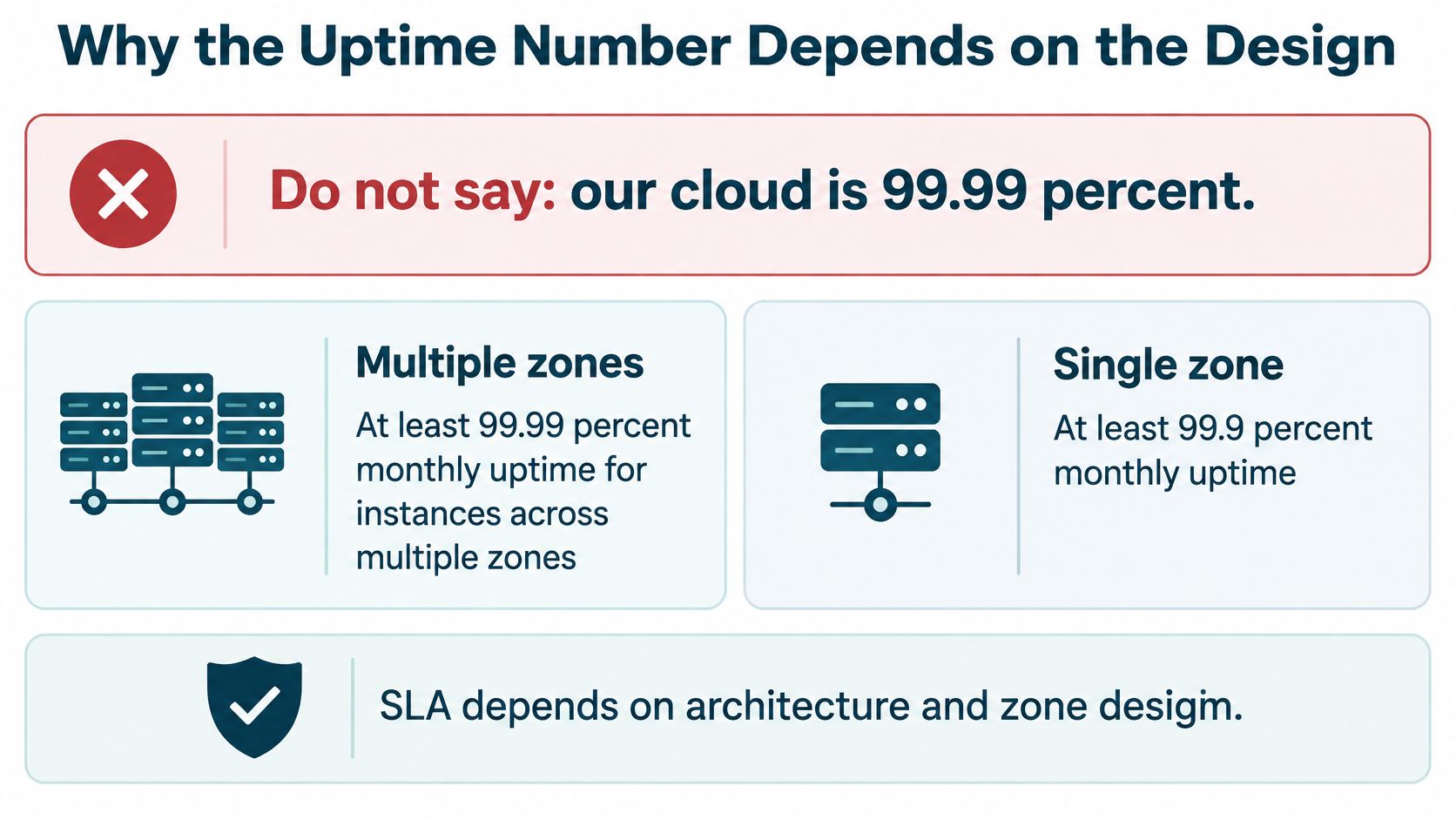
The single server is a different contract
AWS historical EC2 terms make the same split. A region-level target of at least 99.99% applies when included services run across two or more Availability Zones in the same region, or across at least two regions where a region has only one zone. A single EC2 instance has a 90% hourly commitment. If it misses that commitment, AWS says it will not charge for that instance hour, and it will not charge for an instance unavailable more than six minutes of a clock hour.
"AWS has a 99.99 percent SLA" is incomplete. The higher number requires a multi-zone design. A lone server is governed by a much thinner commitment.
A waived hour does not put a donation form, a livestream, or a checkout back online.
You still need backups that are not only in the same account, monitoring that pages a person, and a failover path the application can use. For a business website, ask what deployment qualifies, how the month is measured, what is excluded, and what the remedy pays. A single virtual machine at any of the three is still a single point of failure. Multi-zone costs more and removes that particular failure. It does not remove a bad deploy, an expired certificate, or a full account compromise. Disaster recovery planning is the worksheet for those gaps, separate from whatever percentage is on the sales page.
Which Setup Fits a Business Church or Nonprofit
Match the shape to the workload. A second cloud is not a free resilience upgrade.
A brochure or content site for a small business, church, or nonprofit usually does not need raw IaaS. Managed hosting, a maintained CMS, DNS, SSL, backups, and a CDN solve the visitor problem with fewer consoles. I would start there unless the site has a real reason to own an operating system.
A custom app or member portal with an API can justify PaaS or a managed database on one cloud. Pick it to match the language and the people who will ship releases, not the market-share chart.
An image-heavy or video-heavy ministry site should pair object storage with a CDN and a monthly egress estimate before anyone celebrates a cheap storage rate. Cache the files visitors request. Do not stream every sermon straight out of the bucket.
Donor, counseling, or student data needs a residency and access conversation first. A 2026 cloud survey from Parallels found about 87% of respondents intended to move at least some workloads away from the public cloud in 2026, 84.2% cited compliance, data residency, or foreign data centers, and hybrid adoption was reported at 73%. Hybrid can be the safer shape for one sensitive system plus a public website. Adding a second public cloud does not automatically create resilience. It adds identity, networking, monitoring, and another bill.
A team already deep in Microsoft 365 should bias to Azure when they need cloud infrastructure, because Entra ID and licensing are already the front door. A team already in Google Workspace should not assume the website must move onto Google Cloud. Mail and the CMS can stay neighbors without sharing a project.
The portability test
Can you export the content, the database, and the DNS without a heroic project? If not, the provider choice is stickier than the sales page suggests. Keep those three exports boring on purpose. A provider outage, an account compromise, a regional disruption, or a residency rule is much easier to survive when the site is not trapped in one console.
Pick the Cloud You Can Actually Run
If the job is email, files, and a normal website, stay on SaaS plus managed hosting. Do not open an IaaS account to feel modern.
If the job is custom software and the team is small, pick one cloud and a managed database or platform. Budget the admin hours from the cost lines above before you sign. Idle instances and unattended keys are how small accounts get expensive.
If the staff already runs Microsoft or Google day to day, let that identity stack break the tie between Azure and Google Cloud. Pick AWS when the workload is unusual enough that its catalog matters and someone on the account can say no to extra services.
Do not add a second public cloud for prestige. Add a second location only for a named recovery or residency reason. Before you sign, write down four things: monthly outbound GiB, backup location, the uptime design you are willing to pay for, and who gets paged.
Bruce & Eddy is the operator for the website layer, not a fourth hyperscaler. We list cloud-based infrastructures and cloud-based server solutions among the skills we bring to a project. Managed hosting and security covers 24/7 monitoring, SSL and security patches, daily backups, and fast, stable performance. That is the right conversation when you need the site, DNS, and Workspace or Microsoft 365 looked after and you do not need to staff a cloud department. Teams that do want their own repeatable setup can start from infrastructure as code so the environment is written down instead of remembered. A free consultation helps us sort a specific project. If you want to stay independent, the service-model table and the three-year cost lines are enough to run the decision without calling anyone.
Bruce & Eddy designs, hosts, and looks after websites for small businesses, churches, and nonprofits that need clear bills, real backups, and someone who patches the site. If a cloud services comparison is really a question about your website, DNS, and day-to-day operations, bring the workload and we will walk the three-year cost with you. Visit Bruce and Eddy when you want that conversation.
