

Most advice about how to rank higher on Google starts with “get to position one.” That's an incomplete goal. A top result can win visibility and still produce few visits, especially when Google answers a query directly with an AI Overview. For a small business, church, or nonprofit, the better target is a page that matches a real need, loads reliably, earns trust, attracts qualified clicks, and gives people a reason to contact you.
Google evaluates hundreds of billions of webpages and other content with many signals to return relevant and useful results in a fraction of a second. Ranking generally happens at the page level, not just because a domain has a good reputation. Google's ranking systems documentation makes that distinction clear.
So the practical order is simple: make important pages accessible, align each page with one search intent, publish information competitors can't replace, and measure what happens after Google shows the result.
Why Google Ranks One Page Over Another
Your website isn't competing as one giant object. Your service page competes for its service query. Your article competes for its informational query. Your location page competes for searches where geography matters. The homepage's reputation won't rescue a weak page that doesn't satisfy the searcher.
Google describes ranking as a process that uses many signals to evaluate relevance and usefulness. Those signals can involve factors such as location, language, and device, while link analysis and PageRank help Google understand relationships between pages. That doesn't turn SEO into a popularity contest. It means Google is trying to decide which specific result best serves a specific search.
A useful working model has three parts:
- Relevance: Does the page answer the query and match the searcher's likely task?
- Quality: Is the information original, complete, readable, and trustworthy?
- Accessibility: Can Google find, crawl, render, and index the page correctly?
A page can fail any one of these. A beautifully written service page that carries a noindex directive won't help much. A crawlable page filled with generic copy won't earn much trust. A technically sound article aimed at the wrong intent may attract impressions but few useful visits.
Practical rule: Treat every important URL as a product with one job. Give it a clear audience, a clear query, and a clear next step.
No consultant can promise a ranking position or a timetable. Google changes its systems, competitors publish better pages, and search results vary by query, device, language, and location. Anyone selling guaranteed positions is selling confidence theater with an invoice attached.
Start with pages tied to business value. That might be a service page that should generate inquiries, a donation page that needs qualified visibility, or a location page that helps people decide whether you're available to them. Improve those pages one at a time, then use the data to choose the next move.
Get the Technical Foundation Right First
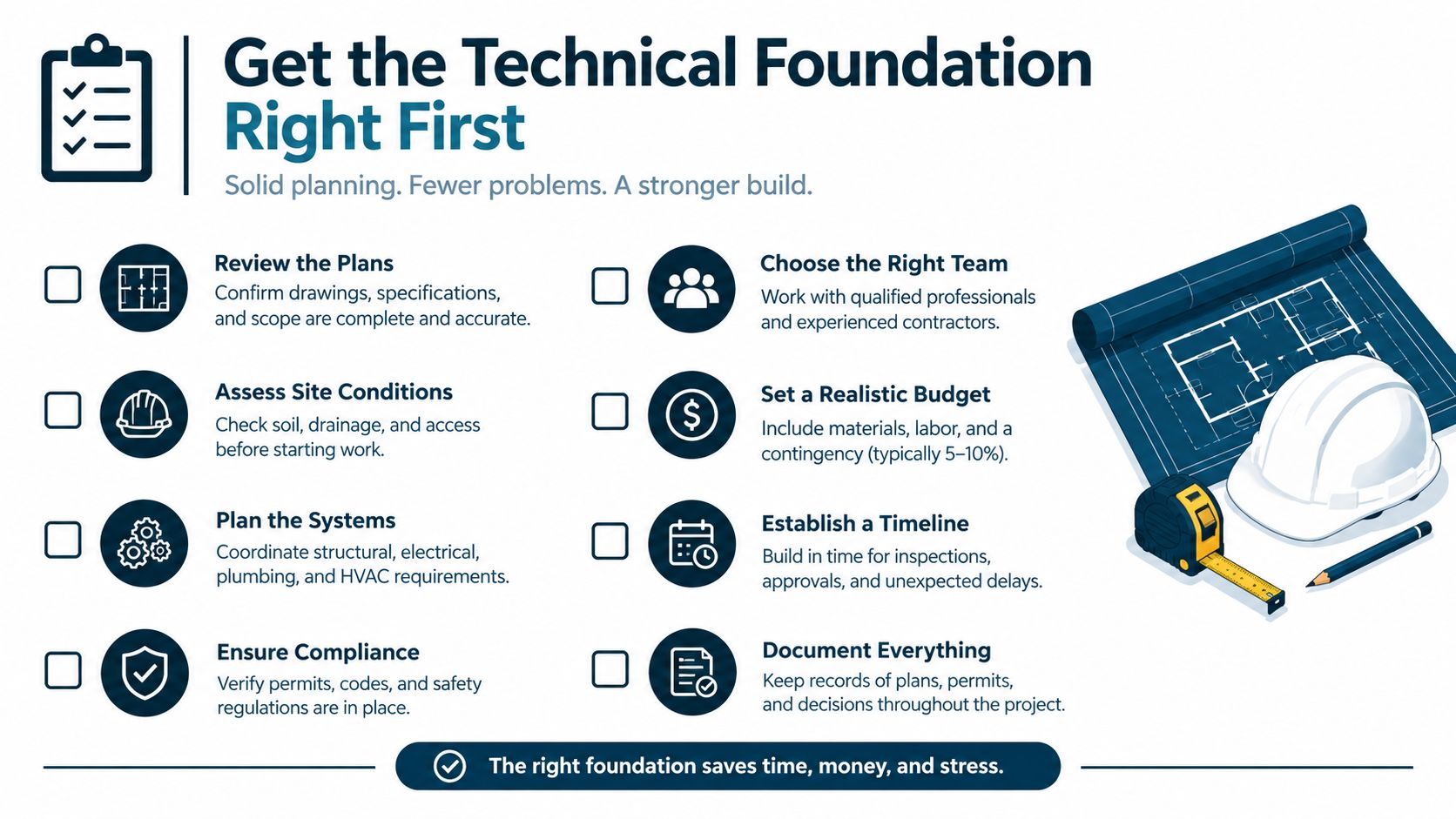
Before Google can evaluate your content, it has to access the page. Technical SEO isn't a treasure hunt for obscure settings. It starts with a short list of basic eligibility checks, followed by performance work that improves the experience for real visitors.
Start with access and measurement
Work in this order:
- Check important URLs: Confirm they return successful HTTP responses and aren't blocked by
robots.txtornoindexdirectives. - Review the sitemap: Make sure the XML sitemap represents the important, canonical URLs accurately.
- Inspect indexing: Use Google Search Console to identify indexed pages and investigate important URLs that aren't included.
- Create a baseline: Record queries, impressions, clicks, and Core Web Vitals field data before making major changes.
These checks don't guarantee rankings. Google describes crawlability, indexability, and successful page responses as minimum technical requirements for eligibility. They prevent a more frustrating problem, spending weeks improving a page Google can't properly use.
If you need a plain-English explanation of the work, this guide to technical SEO is a useful starting point. The key is to diagnose before editing. Otherwise, you may “fix” a page without knowing whether the original problem was indexing, relevance, presentation, or something else.
Use real-user performance targets
Core Web Vitals provide concrete targets:
| Metric | What it measures | Good threshold |
|---|---|---|
| LCP | Time needed to render the largest visible content element | 2.5 seconds or less |
| INP | Responsiveness across clicks, taps, and keyboard interactions | 200 milliseconds or less |
| CLS | Unexpected visual movement during loading | 0.1 or less |
Google's Core Web Vitals documentation explains that Search Console uses field data from real users and assigns a URL group the status of its worst-performing metric. A page that loads quickly but shifts while someone tries to tap a button can still fail the overall assessment.
Don't optimize only the homepage. Shared JavaScript, oversized images, font loading, and layout rules can affect an entire template and hundreds of URLs. Fix the common cause first, then retest by device, geography, template, and URL group. Lab tools are useful for diagnosis, but field data tells you what visitors experience.
Core Web Vitals are a quality threshold, not a ranking shortcut. Relevance and usefulness still decide whether the page deserves to appear for the query. Faster pages help people use your site, but speed can't turn an irrelevant page into the right answer.
Match Every Page to One Clear Search Intent
The fastest way to waste content time is to give several pages the same job. A service business might publish separate pages for “website design,” “web design services,” “website development,” and “custom websites,” then fill each with nearly identical paragraphs. Google has to decide which page represents the topic, while visitors get a maze instead of a clear path.
Build a query-to-page map before rewriting anything.

Map the customer's actual task
Begin with language from sales conversations, support emails, proposal requests, Google Search Console queries, and customer-facing staff. Then assign one primary intent to each page.
| Page | Primary intent | What the visitor needs |
|---|---|---|
| Website strategy service page | Commercial | Understand the service, fit, process, and next step |
| Website maintenance page | Commercial | Decide whether ongoing support solves a current problem |
| Website migration article | Informational | Learn the risks and steps before making a change |
| Contact page | Navigational or transactional | Reach the organization with minimal friction |
A page can answer related questions, but it shouldn't compete with another page for the same primary task. If two pages overlap heavily, consolidate them, differentiate their purposes, or redirect the weaker URL after checking links and business value.
A practical content gap analysis can reveal what competitors cover that your priority page doesn't. Don't treat that as a command to copy their outline. Use it to find missing decision information, then add your own process, evidence, examples, and judgment.
Make the page unmistakably useful
Put descriptive wording in natural, prominent places:
- Title: State what the page offers or answers.
- Main heading: Confirm the page's subject in language a visitor understands.
- Link text: Tell people what they'll find after clicking.
- Image alt text: Describe relevant images when the description helps someone understand the page.
Don't repeat the same phrase until the copy sounds like it was assembled by a nervous robot. Google recommends clear, descriptive wording, but the page still needs to complete the visitor's task better than competing results.
Structured data has a narrower role than many SEO pitches suggest. Google recommends JSON-LD as a practical format, but missing required properties can make a page ineligible for a rich-result enhancement. Valid markup doesn't automatically improve organic ranking. Add it when the page meets the criteria, validate it, and treat it as clearer communication, not a magic spell.
To audit a page, write its target query at the top of a document and answer five questions:
- Does the opening answer the query quickly?
- Does the page cover the decisions a visitor must make?
- Does it show first-hand knowledge or specific evidence?
- Is the next action obvious and appropriate?
- Would a stronger page make this page unnecessary?
If the answer to the last question is yes, improve the page or change its role. More URLs aren't automatically more SEO.
Earn Authority Instead of Chasing It
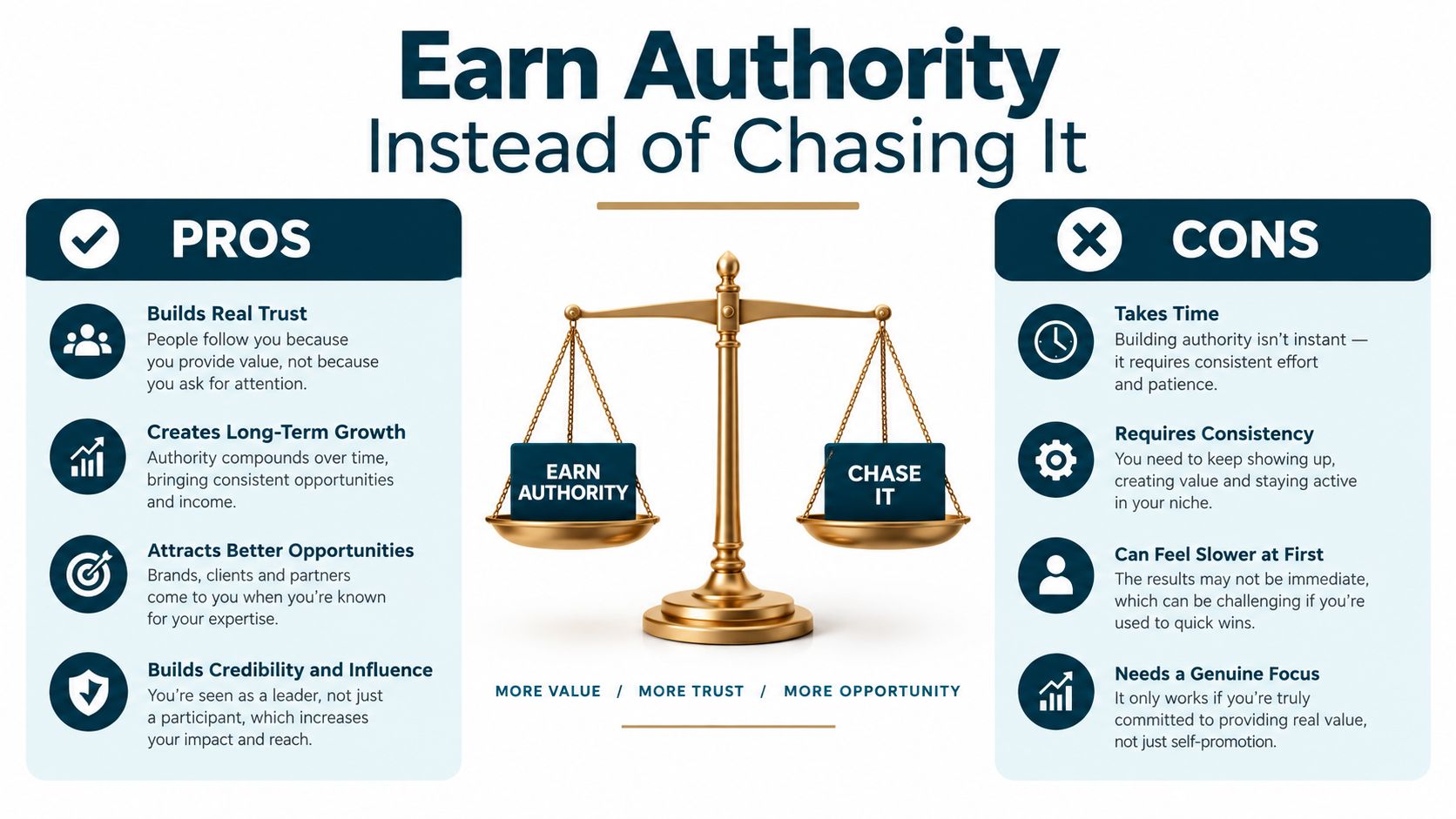
Authority is built when other people have a reason to reference your work. It isn't built by buying a pile of unrelated links or publishing a page for every minor wording variation.
| Earn relevant references | Chase artificial authority |
|---|---|
| Publish original analysis, practical tools, and first-hand guidance | Buy or exchange links without regard to relevance |
| Contribute useful information to industry and community resources | Add your business to low-value directories in bulk |
| Create pages people can cite in proposals, newsletters, and discussions | Produce thin pages that repeat existing material |
| Improve a strong page until it deserves attention | Treat link count as the entire strategy |
Links remain useful because they help search systems understand relationships between pages. But the page receiving the link still needs to satisfy the searcher. A relevant reference to a detailed nonprofit technology checklist is more meaningful than a random link from a site that exists mainly to host links.
Don't confuse volume with usefulness
Google's spam policies classify scaled content abuse as producing many pages primarily to manipulate rankings, whether people, AI systems, templates, or other methods created them. Examples include scraping feeds, combining material from multiple pages without adding value, and filling pages with keywords that make little sense to readers. Google's spam policy documentation is blunt on this point.
Automation isn't automatically forbidden. A workflow that helps a subject-matter expert organize notes can be useful. The problem is publishing content that has no original answer and exists mainly to occupy search results.
Pruning deserves equal attention. A large collection of outdated, duplicate, or empty pages can weaken the overall quality of a site. Review pages that attract no meaningful traffic, fail their target query, duplicate a stronger URL, or offer little original value. Then substantially improve, consolidate, redirect, or remove them after checking links and business importance.
The uncomfortable truth: Ten useful pages can support a business better than a hundred thin ones.
Use this practical guide to link building to think in terms of relevance and earned usefulness, not a scoreboard. Make something worth citing first. Ask for attention second.
Measuring What Actually Moves Rankings
A ranking position is a clue, not a business outcome. Search Console gives you a better diagnostic view because it separates impressions, when Google showed the result, from clicks, when someone selected it and visited your site.
That distinction tells you what kind of problem you're facing. Many impressions with few clicks can point to weak relevance, an unconvincing title, an unhelpful snippet, or a search feature that answers the query before the visitor reaches your page. Few impressions suggest Google may not understand the page, may not consider it relevant enough, or may not be finding it consistently.
Read the pattern, not just the position
| Search Console symptom | Likely issue | First response |
|---|---|---|
| Few impressions and few clicks | Weak visibility or unclear targeting | Check indexing, intent, and page purpose |
| Growing impressions with few clicks | Presentation or intent mismatch | Rewrite the title and opening, then compare the query with the page |
| Impressions and clicks grow, but inquiries don't | Conversion or audience problem | Improve the next step, offer clarity, and trust information |
| Clicks arrive for unrelated queries | Accidental relevance | Refocus the page or create a better page for that query |
| Visibility exists mainly in AI summaries | Fewer direct visits may follow | Measure branded searches, calls, forms, and engagement too |
Position still matters. A 2026 analysis of Google U.S. desktop results reported average organic CTRs of 20.02% for position 1, 10.36% for position 2, and 3.89% for position 3. In that dataset, moving from position 3 to position 1 represented roughly a fivefold increase in average CTR. Advanced Web Ranking's CTR analysis also cautions through its dataset context that actual CTR varies by query, brand familiarity, search features, device, and industry.
That makes improving position worthwhile, but it doesn't make position one a complete KPI. Search behavior changes when Google displays an AI Overview. A Pew Research Center analysis of roughly 900 U.S. adults found that users clicked a standard result on 15% of searches without an AI summary, compared with 8% when an AI summary appeared. Links inside the summary received clicks in just 1% of visits.
Google disputes the study's representativeness, and Google separately says AI Overviews can support longer, more complex queries and show more links. The practical conclusion doesn't require choosing a winner in that debate. A page may gain visibility while receiving fewer direct clicks, so track branded searches, calls, form submissions, assisted conversions, and engagement alongside impressions, clicks, and CTR.
This guide to measuring SEO success can help turn those signals into a reporting routine. Review query-level changes monthly, compare URL groups, and ask whether the page is becoming more discoverable, more compelling, and more useful after the visit.
Your 90-Day Ranking Action Plan
A small team doesn't need a giant SEO program to start. It needs an order of operations and a definition of done.
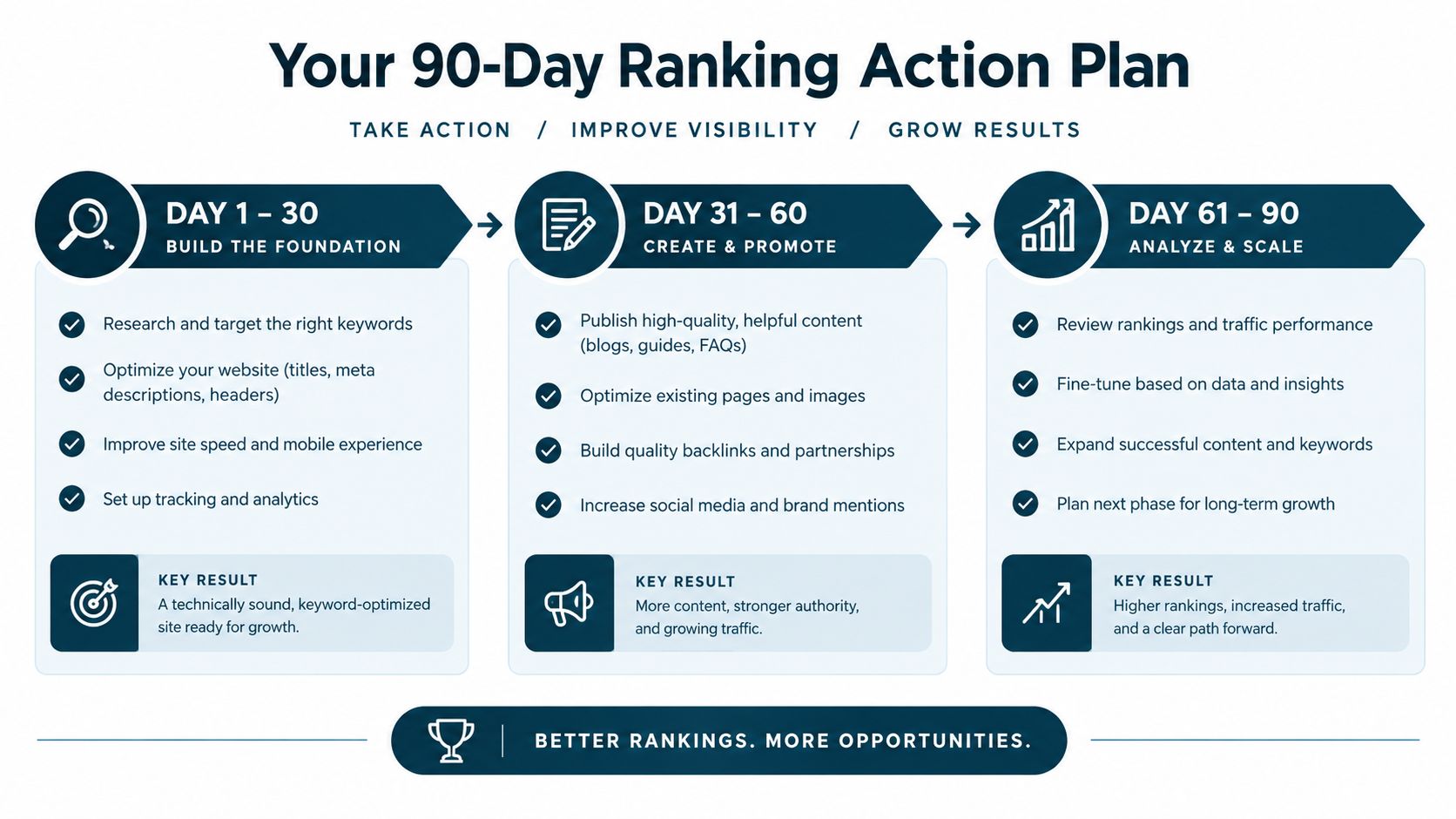
Weeks one and two
- Check access: Verify successful responses, crawl rules, noindex directives, canonical URLs, and sitemap coverage for important pages.
- Establish measurement: Record Search Console impressions, clicks, queries, indexed pages, CTR, and Core Web Vitals field data.
- Choose priorities: Select the pages tied most directly to inquiries, donations, memberships, sales, or other meaningful actions.
You're done with this phase when you know which pages Google can use and have a baseline for comparison.
Weeks three through six
Rewrite the three highest-value pages around one primary intent each. Clarify titles, headings, internal links, supporting evidence, service details, and next steps. Use Search Console queries to find language visitors already associate with the page, then address gaps without stuffing phrases into every available corner.
Drafting tools can help organize a content workflow, especially when a subject-matter expert reviews every claim and adds original judgment. SEO content drafts from Unflag are one resource worth evaluating for that early drafting stage. The final page still needs human editing, fact-checking, and a reason to exist.
Weeks seven through twelve
Prune or consolidate weak pages. Pursue relevant references through useful partnerships, community resources, industry publications, and helpful contributions. Review Search Console monthly and connect search activity to calls, forms, branded demand, and engagement.
Don't wait for a perfect dashboard. A clean baseline, three improved pages, and a disciplined review habit will teach you more than a sprawling content calendar aimed at every keyword in sight.
Bruce & Eddy can help with the technical foundation, website rebuild or maintenance work, analytics, and practical SEO improvements that support page-level visibility. Visit Bruce and Eddy to discuss which pages matter most and where developer support would remove the biggest obstacle.
