

Ship it rough and fix it later is the most popular advice about a mobile app development MVP, and it's the advice most likely to waste your money. A rough first release doesn't test demand. It tests patience. People leave, you learn nothing useful about the idea, and you blame the market for a build that never gave anyone a fair chance to finish the job.
I'd flip it. Ship less, but finish it. One job, done reliably, on real phones, with a clear way to measure whether people came back. That's a test worth paying for.
Scope Cost and Time for the First Release
A mobile app MVP is the smallest store-ready release that lets a real person finish one job and gives you evidence to continue, change, or stop. It isn't a wireframe, a clickable prototype, or a listing full of placeholder screens. The prototype has a role earlier. It's just not the product you submit.
The stores draw that line for you. Under Apple's App Store Review Guidelines, submissions must be final versions with complete metadata and live backend services, and apps with login need working demo credentials. Under Google Play's functionality policy, apps must be stable and meaningfully useful, and crashes, freezes, or very little functionality can disqualify them. Narrow is fine. Unfinished isn't.
Pick Your Band Before Design Starts
For a small business, nonprofit, or church, the first job is usually one action. Book a time. Give or pay. Ask for help. Open member content and respond. If you can't write that job in one sentence, you don't have scope yet.
First-release scope, cost, time, and team
| Release band | What ships | Published cost range | Time window | Who you need |
|---|---|---|---|---|
| Basic one workflow | One job, guest or account path, one completed action, light admin | $15,000 to $60,000 (2024) | Published MVP average 4 to 6 months (2025) | Founder, designer, one or two developers |
| Broader product | Accounts, pay or donate, notifications, small admin | $20,000 to $100,000 (2024) | Plan on the published 4 to 6 month average as a floor, then add time for payments and review | Product owner, design, mobile, backend, QA |
| Complex | Several roles, integrations, offline or realtime behavior | Above $100,000 (2024) | Longer than the published average, set by integration and testing scope in writing | PM, design, mobile, backend, QA, maintenance owner |
Those are published market ranges, not a Bruce & Eddy quote. In 2024, a basic MVP was estimated to cost $15,000 to $60,000, while more complex MVPs could exceed $100,000, according to Ptolemay. In 2024, mobile application MVP development was estimated to cost at least $20,000 to $100,000 by LinkedIn publisher Mukesh Ram. In 2025, the average mobile app MVP development timeline was reported as 4 to 6 months by GoodFirms, as cited by ZTabs.
What Moves You Up a Band
Payments, two native codebases, offline use, and several user roles push cost up. One workflow sitting on a system you already run pulls it down. Don't force a complex product into the average window just because the average sounds manageable.
I've found it's worth reading a plain account of how difficult app development really is before you assume the screens are the hard part. The accounts, data, edge cases, and store rules around those screens are where schedules slip.
Circle one row in that table and write the job in one sentence. Then ask any partner to split the window into validation, build, testing, store review, and launch, with an estimate for each. Treat that breakdown as the plan you hold them to. If you want more detail on the money side first, our page on what a mobile app costs breaks the drivers down further.
Validate One Job Before You Build
Validation isn't asking people if they like the idea. It's watching them try to finish the job without your help.
The flow below keeps the order honest, so you prove the job before you fund the extras around it.
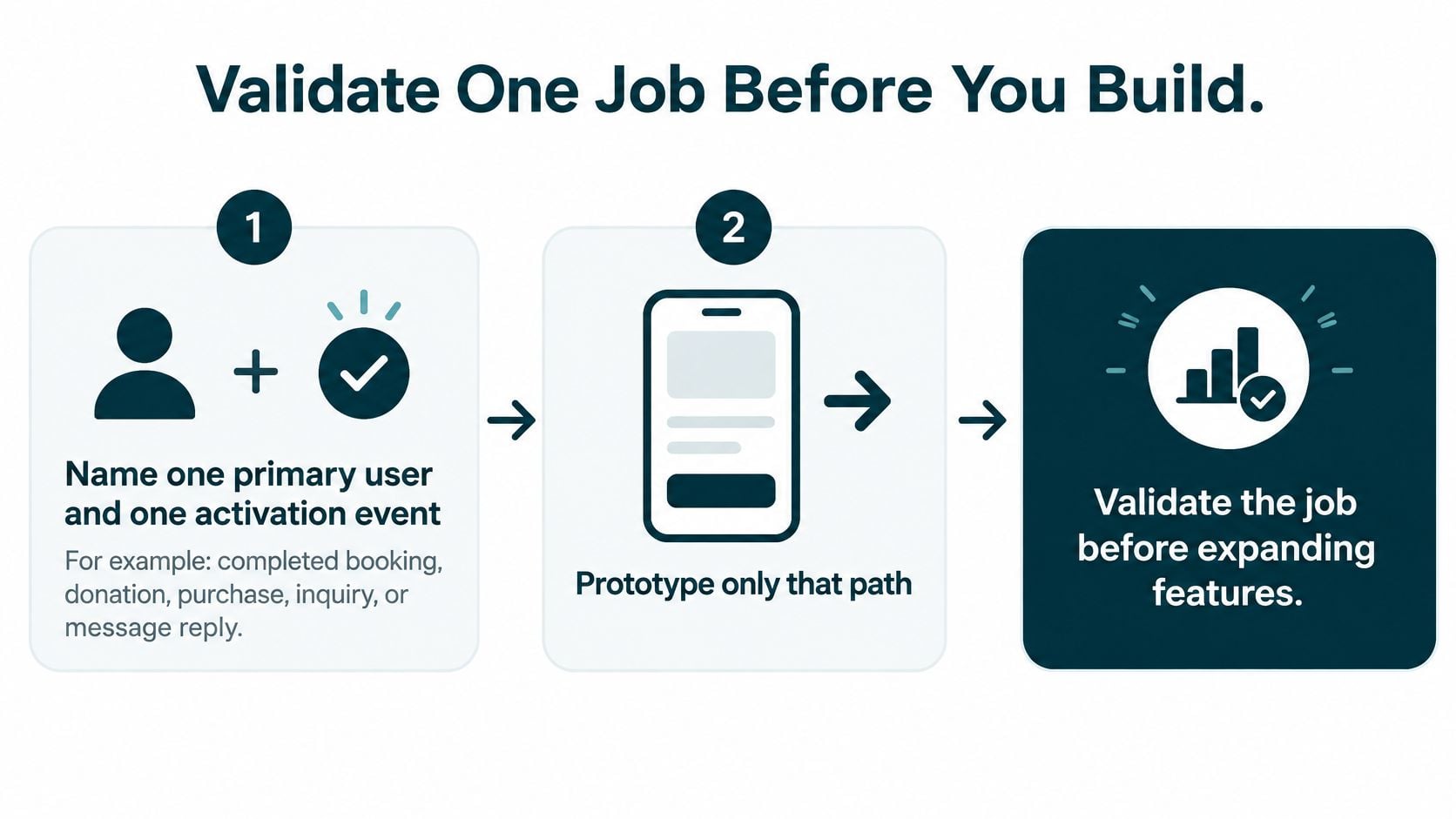
The Five Moves in Order
- Name one primary user and one activation event. A completed booking, donation, purchase, inquiry, or message reply counts. An install doesn't.
- Prototype only that path. Include the empty, error, and success states. A demo that skips the error state tells you nothing about a real phone on a weak connection.
- Test with people who look like your audience. Not only staff. Cover both operating systems if both stores are in scope, and use think-aloud sessions so you hear where people hesitate.
- Record what happened. Track completion, severe errors, time on task, and the screen where people quit. Put authentication, payment, donation, and inquiry failures on their own line so a good average can't hide a broken step.
- Ship the smallest set that passed. Rank later changes by observed failures, not by who asked loudest for a feature.
Cross-market usability research reported in the Nielsen Norman Group mobile usability study found average mobile-task success of 62%, with apps achieving 76% versus 64% for mobile-specific websites. That's why a liked prototype isn't proof. Plenty of tidy screens still lose people mid-task.
Our starting gate: At least 80% of testers should finish the core journey before you build. That's a planning rule we use to force a decision, not a published benchmark.
This walkthrough shows how a tight test session surfaces hesitation you'd never catch in a comment thread.
Permissions Belong in This Step Too
Skip precise location, contacts, microphone, files, and extra identifiers unless that access is the service itself. Under Google Play's permissions policy, apps may use a permission only to provide approved core functionality, and that purpose must be documented in the store description. Every permission you request should map to the one job. If it doesn't, cut it.
Close this stage with a short must-not-build list and keep it visible. Social feeds, chat, loyalty points, a full content library, and admin dashboards beyond the basics usually belong on it. Our guide on validating a startup idea before you spend goes deeper on testing demand before code, and the habit transfers directly to apps.
Pick a Build Approach You Can Keep
The best stack for a first release is the one your team can still afford to patch in month seven. That question matters more than which framework is getting talked about this year.
The comparison below puts the three common routes side by side, upkeep included.
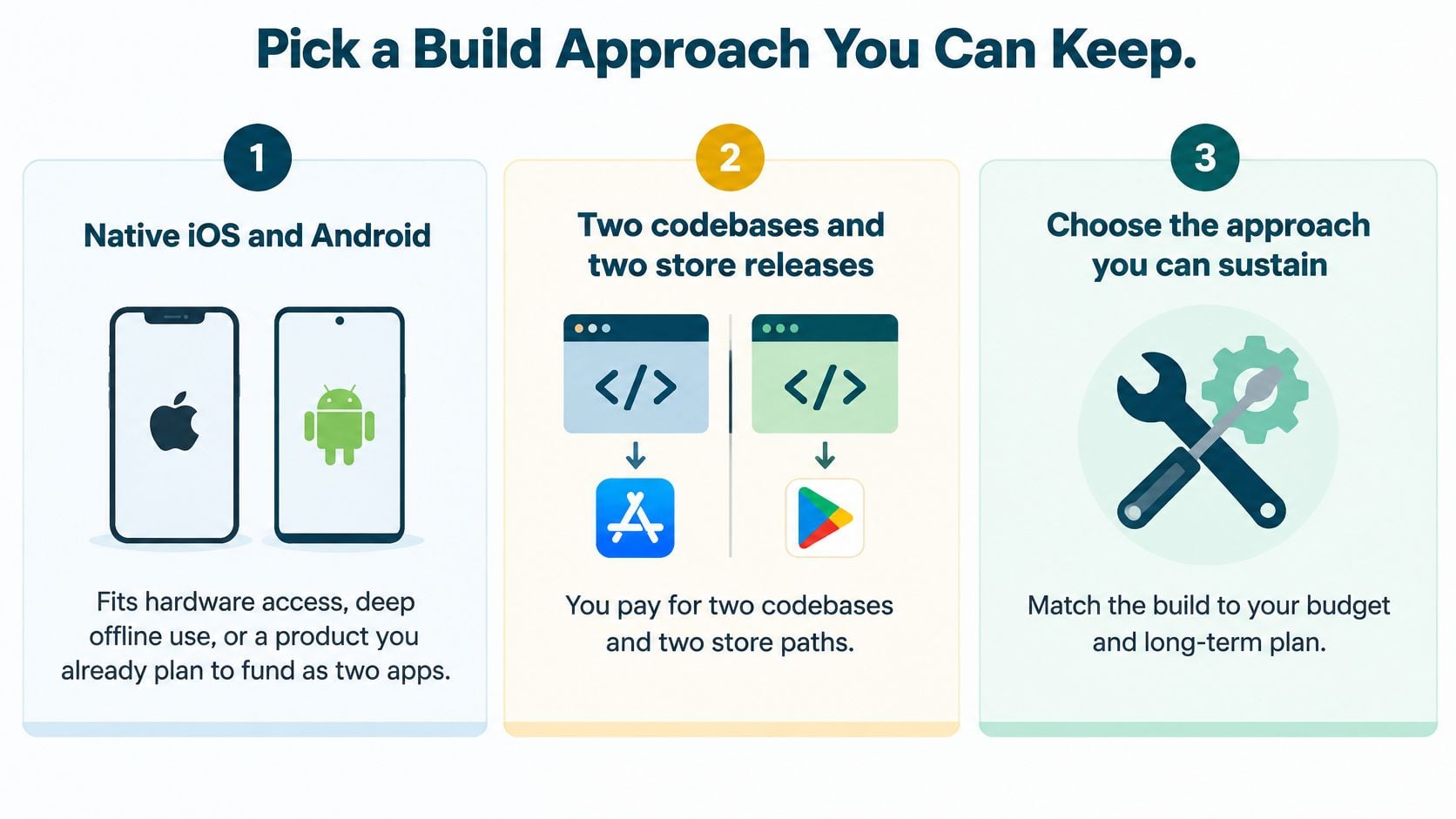
Three ways to ship the first job
| Approach | Fits when | What you maintain | Main risk |
|---|---|---|---|
| Native iOS and Android | Hardware, deep offline, or two funded apps | Two codebases and two store releases | Cost and delay before evidence |
| Cross-platform | Forms, accounts, lists, and notifications on both stores | One shared UI plus native edges | Gaps on older Android devices |
| Mobile website or installable web app | Content, forms, or payments you can test in a browser | One web stack and hosting | No store listing and weaker device access |
How I Would Choose
Native earns its cost when the product depends on hardware access, deep offline behavior, or performance a shared layer can't deliver. You pay for two codebases and two store releases before you have evidence, so I'd want that need named in one sentence, not assumed.
Cross-platform fits most first releases built around forms, accounts, lists, and notifications. One team reaches both stores and maintains one shared interface. The tradeoff is real. Plugins and performance can get thin on older Android phones, so test on the cheap devices your audience owns, not just the newest phone in the office.
A mobile website or installable web app is the cheapest honest test when the job is content, a form, or a payment. There's no store listing and device access is weaker, but there's also no review queue between you and a real answer.
My default for most first releases is the web or one shared codebase, unless a store-only capability is the product itself.
Bruce & Eddy built a hybrid multi-platform mobile app for a national music industry conference, and that kind of shared build is often the sensible middle ground. Our listed skills include full stack PHP, Node.js, Python, PostgreSQL, Redis, MySQL, CSS3, HTML5, Javascript, XML and JSON, which matters because the backend behind the app usually outlives the first interface.
Whatever you pick, sign-in, architecture, and a small analytics set should be solid from day one. Extra screens can wait. A shaky login can't.
Name the maintenance owner before you sign anything. Ask who patches the app after launch and how that person gets access to the backend and store accounts. If nobody can answer, you've picked an approach you can't keep. If you're comparing firms for this work, our page on choosing a mobile app development company lays out what to ask.
Your one-line pick, tied to your table row, might read like this. Basic row, web app first. Broader row, cross-platform. Complex row, native only where the hardware demands it.
Test the Release Against Store and Reliability Gates
A narrower app that starts, moves through, recovers, and finishes the promised job will teach you more than a wider app that fails on a cheap phone. Treat launch readiness as pass or fail, not as a feature count.
User tolerance for a shaky release is low. Recent user research from France reported by Amplitude found bugs were the leading frustration at 76%, followed by slow loading and unintuitive navigation at 72% each. In that research, 72% said a poor app experience could make them abandon the brand entirely, while 43% would leave within minutes if the app malfunctioned. Read those as a warning about tolerance, not a prediction for your organization.
The gate graphic below is the order I'd test in, because a job you can't finish makes every other metric meaningless.
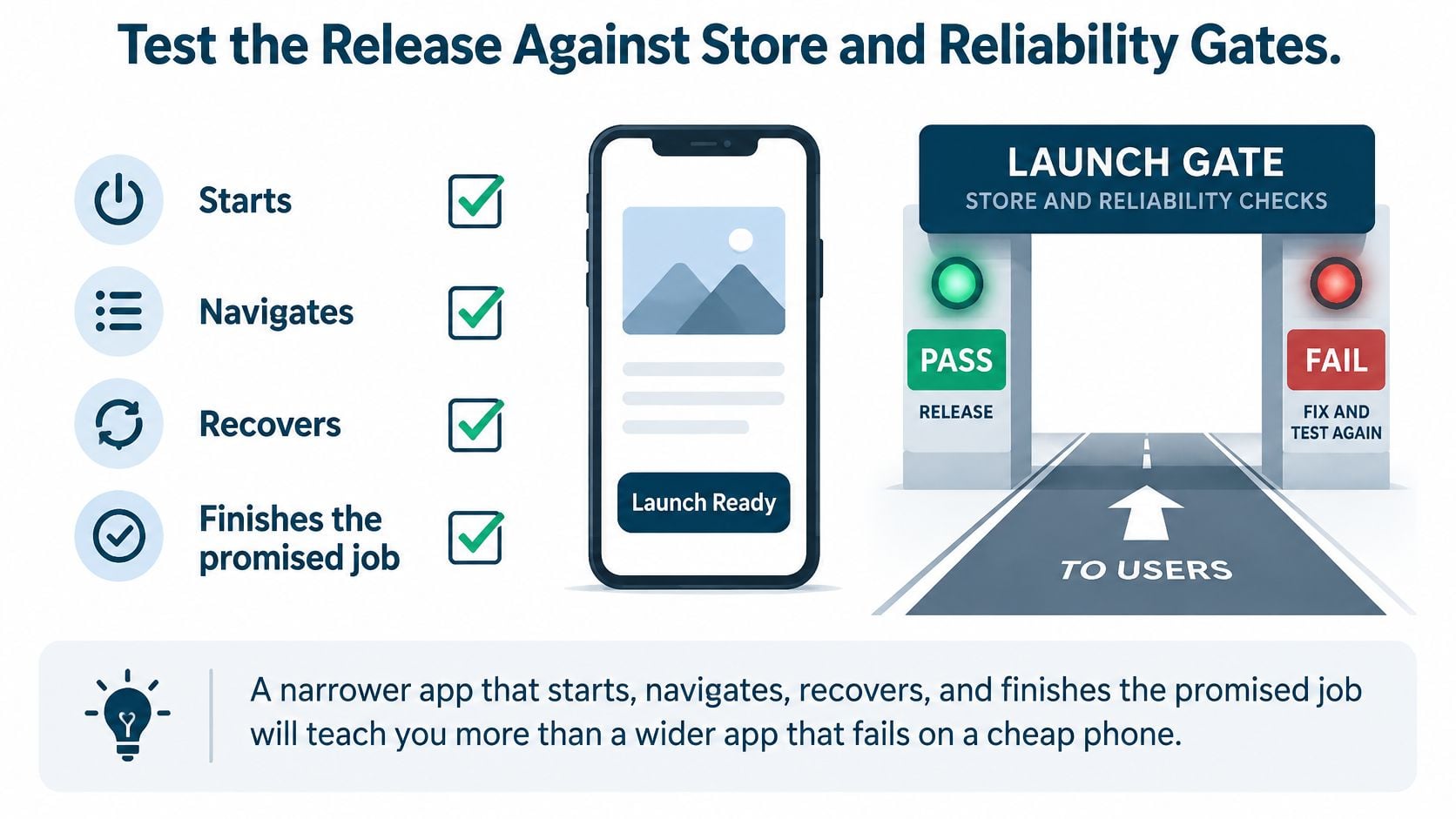
Set Your Numbers Before Polish
There's no universal cold-start or crash-free target handed to you, so write your own before testing starts. Set a tolerable cold start on a low-end Android phone and a weak network. Require a recovery path for failed requests, a visible error or offline state, and no dead end in the core job. Visual polish comes after those pass.
The Pre-Submission Checklist
- Run the core journey on physical devices. Not only a simulator. Simulators don't have old batteries, full storage, or bad signal in a parking lot.
- Clear crashes, freezes, and unresponsive controls on that journey. A freeze on the payment or booking step is a launch blocker, not a known issue.
- Put the production backend online and prepare a working demo account for App Store review. Reviewers can't approve what they can't reach.
- Remove placeholder content and write review notes for anything non-obvious. Generic notes invite rejection and another round of waiting.
- Make the store text match reality. The description, screenshots, and every requested permission should describe the feature set you shipped.
- Name who handles fixes for the first 30 days. A person, not a team inbox nobody checks on weekends.
That emphasis on stability lines up with Google's app quality guidance, which connects a stable, engaging, responsive app with users being more likely to keep using it. Speed comes from limiting scope, not from shipping an unfinished experience and hoping early users forgive it.
If the core journey can't pass on a low-end phone with a weak connection, you're not behind on features. You're not ready to launch.
Budget for what follows submission, too. Crash reporting, monitoring, store updates, and fixes need a recurring budget and a named owner, and that cost sits outside the build estimate. An MVP that nobody maintains isn't lean. It's abandoned on a schedule.
Read Retention Before You Add Features
Don't judge launch week by downloads. Downloads tell you the listing worked. Retention tells you the job was worth coming back for.
Define an install or first-open cohort, then calculate Day 1, Day 7, and Day 30 retention as people from that cohort who return, divided by the original cohort size. Segment by iOS and Android, device class, app version, and whether the person completed the first meaningful task.
The chart below frames that cohort view, which is the only view that keeps a launch spike from fooling you.
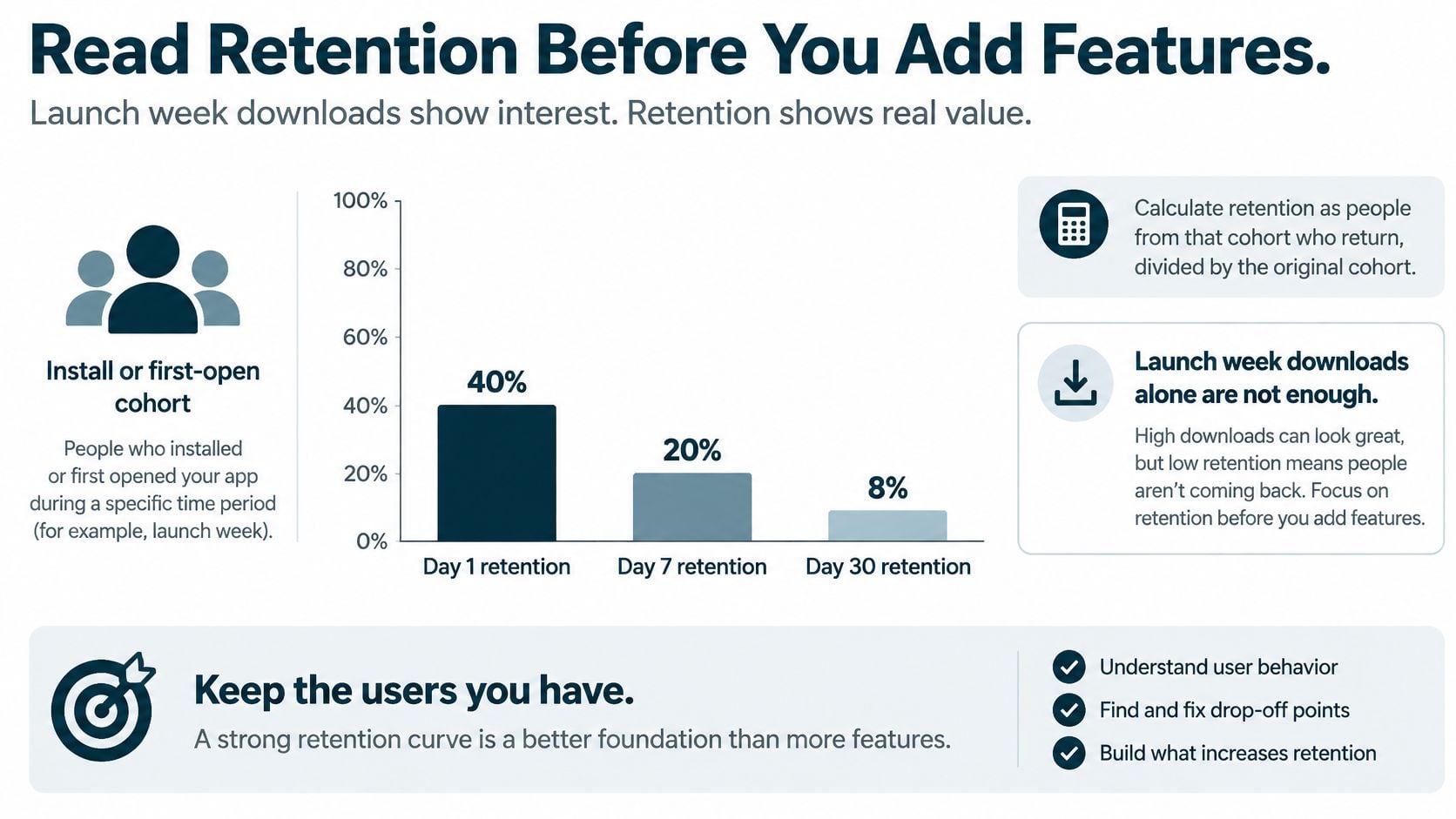
Directional retention checkpoints
| Window | Broad directional figure | iOS Q3 2024 | Android Q3 2024 |
|---|---|---|---|
| Day 1 | About 28% | 23.9% | 20.3% |
| Day 7 | About 18% | 8.3% | 5.6% |
| Day 30 | About 8% | 3.7% | 2.1% |
Published benchmark summaries compiled in the Stream app retention guide report approximately 28% Day-1, 18% Day-7, and 8% Day-30 retention across app categories. AppsFlyer Q3 2024 figures in the same compilation show 23.9%, 8.3%, and 3.7% for iOS, and 20.3%, 5.6%, and 2.1% for Android. Category, acquisition source, geography, and notification strategy move these numbers a lot, so treat them as directional. They aren't targets, and they aren't a promise.
What to Log From the First Release
- Onboarding completion: Did people get through setup, or stall on account creation?
- First-value action: The booking, donation, purchase, or reply the app exists to produce.
- Push delivery: Whether notifications arrived, not just whether you sent them.
- API failures and crash-free sessions: The reliability problems that kill return visits.
- Repeat completion of the job: The strongest signal you have.
The useful comparison is retention for people who finished the first-value action versus people who only installed. If finishers return and installers don't, your onboarding is the problem. If nobody returns, the job itself may not be worth an app. Either answer is cheaper than guessing. When revenue enters the picture later, our notes on mobile app monetization strategies can help, but monetization on top of weak retention is decoration.
Write the Rule Down
Decide the expand, fix, or stop rule in writing before launch. Ignore a download spike that never reaches the job. Expand only when the first-value group returns at a clearly higher Day 7 rate while severe errors stay rare. If people finish the job and still don't return, fix the job or stop. Don't fund the next module to rescue a launch metric you never defined.
Decide to Build Wait or Stay on the Web
You have three honest options. Build, wait, or keep the job on the website. Each one can be the right call. Drifting into a build because you've already spent time talking about it isn't one of them.
If you can't name the one job, the activation event, and your row in the cost table, you're not ready to hire anyone. Wait, and do the validation work first. That isn't lost time. It's the cheapest part of the whole project.
If a browser flow can test the job, stay on the website until real requests show up. A working web form that produces bookings or donations every week is stronger evidence than an app idea with a polished pitch. Plenty of organizations should stop there, and there's no shame in it.
What to Bring to a Scoping Conversation
- The one-sentence job: Who finishes what, and how you'll know it happened.
- The must-not-build list: The features you've already agreed to skip.
- The platform choice: Web, cross-platform, or native, with the reason in plain language.
- The systems it must reach: Payments, your database, email, or the website you already run.
- The owner for the first 30 days: The named person who handles fixes after submission.
A useful partner should challenge your scope, write down assumptions, separate this release from later phases, and say plainly who handles review and crash reports after submission. Ask those questions of any partner, including us. If the answers get vague when you ask about maintenance, keep looking.
You should be able to say build, wait, or keep it on the web, and explain why in one paragraph. If you can't, the decision isn't ready yet.
Bruce & Eddy has a team of specialists who join projects as needed, with specialties that include Mobile App Development alongside CMS Development, Database Development, Web Design, Website Development, Web Hosting, and AI Integrations. That matters for an MVP because the app rarely stands alone. It usually connects to web systems you already depend on, and one team seeing both sides makes fewer translation errors.
We also provide a free consultation to discuss a customer's project in more detail, which is the right size for this decision. Bring the five items above and start through our contact page, or read about our custom development services first if you want to see how the work is structured. Come with the one-sentence job. We'll tell you plainly if a website flow would answer your question for less.
If you're weighing a first release, Bruce & Eddy can help you scope one finished job, pick a build approach you can maintain, and connect it cleanly to the website and systems you already run. Start with a short conversation about the job, not a feature list, at Bruce and Eddy.
